
Checking Criminal History in Payson
Start with the office closest to the event. Payson Police Records handles reports and local contact checks, while CRIMEWATCH presents department posts about arrests, cases, warrants, and public safety news. A citation or filed charge belongs in the court channel, not the police report. Current custody questions go to the Payson Jail Facility, and a complete subject review goes through the Arizona Department of Public Safety rather than a town letter.
- Check the Payson Police Department channel that matches the event, including CRIMEWATCH for public posts.
- Ask Police Records for the incident report or local contact record, using the incident details you know.
- Search Arizona Public Access, then contact the municipal or regional court for the official local docket.
- Call the Payson Jail Facility for present custody, or use Gila County court channels when a felony case is filed.
- Use AZDPS criminal-history record review for an official personal statewide repository record.
These results answer different questions. A police report records what the agency documented, a booking records custody intake, and a docket records what the court did after a complaint or citation arrived.
Payson Police Records at Beeline
The Payson Police Records office is at 303 N. Beeline Highway, Payson, AZ 85541. Staff can be reached at (928) 472-5052 or policerecords@paysonaz.gov. The published counter schedule is Monday through Thursday, 7:00 a.m. to 5:30 p.m. That four-day schedule matters when a requester needs to confirm a report number, ask what identification is required, or arrange a local record request.
Payson Police Records
303 N. Beeline Highway
Payson, AZ 85541
(928) 472-5052
Monday-Thursday, 7:00 a.m.-5:30 p.m.
policerecords@paysonaz.gov
Give the office enough incident information to identify the correct file. The research confirms requester contact and incident or case details as the core request information, but it does not document a public online form field by field. Calling the records number is the sound fallback when the request method is unclear.
Payson Police Department Records
Payson Police Department maintains the town-level incident and arrest-report channel. Its main station shares the 303 N. Beeline Highway address. The non-emergency line is (928) 474-5177, the fax is (928) 474-4558, and the crime hotline is (928) HOT-TIPS or (928) 468-8477. Emergency reports still belong with 9-1-1, not a records request.
A Payson police file is not the same as a municipal court file. The report may describe the event, alleged conduct, officer observations, and an arrest, while the court docket later shows filed charges, hearings, pleas, and disposition. A requester who needs both should ask each custodian separately rather than asking the police desk for the court's copy.
Payson CRIMEWATCH Record Channels
The department's Payson Police CRIMEWATCH portal places several public-facing channels in one view: Arrests, Cases, News, Most Wanted, Warrants, and Forms. It also offers email notifications, a crime map link, anonymous tip tools, and prompts for the CRIMEWATCH mobile app. Posts remain department-administered notices and may change, so a portal item is a lead to verify, not an official certified case file.
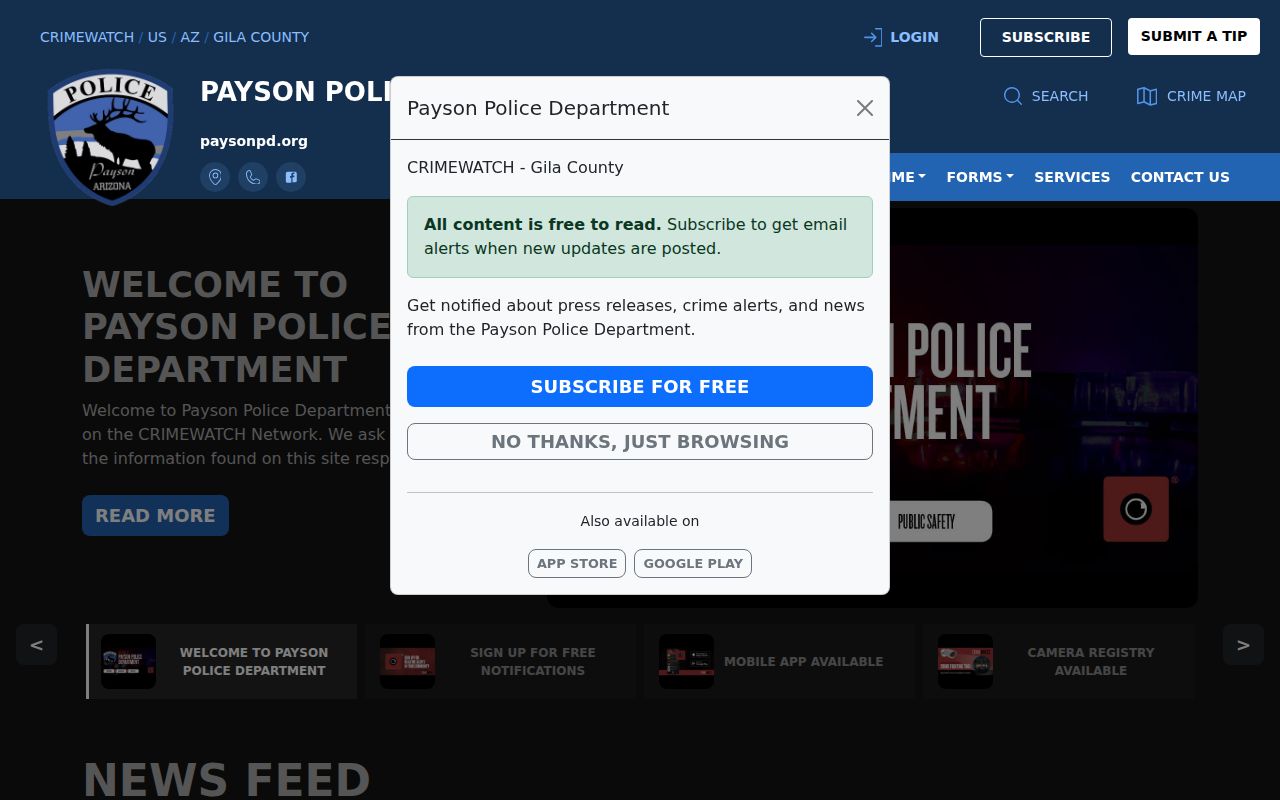
The image shows why CRIMEWATCH is useful for recent Payson activity: it brings city police notices together while still leaving report copies, custody confirmation, and court outcomes with their proper offices.
| CRIMEWATCH area | Best use | Verification step |
|---|---|---|
| Arrests and Cases | Locate a recent department post | Request the police report and check the court |
| Warrants and Most Wanted | Review public Payson notices | Call the issuing court before acting |
| News and alerts | Follow local safety updates | Confirm details with Payson Police |
| Forms and app | Reach department tools on desktop or mobile | Use Police Records for an official copy |
Payson Arrests and Bookings
A Payson arrest can create a police report, a booking record, fingerprints, a probable-cause record, and later a court case. Those items do not appear at the same time. CRIMEWATCH may supply a recent public notice, but current custody and release questions should go to the Payson Jail Facility at (928) 468-2835. No official searchable Gila County jail roster was found in the county research.
If the arresting agency was Payson Police, request its incident or arrest report from Police Records. If Gila County Sheriff's Office handled the event, use the Sheriff's Records Unit or GovQA instead. Once prosecutors file charges, Arizona Public Access may display case information on its weekly update cycle. For a deeper explanation of county booking channels, the Gila County arrest lookup follows the record from intake through court filing.
Note: An arrest records an allegation and custody event; it is not proof that the person was convicted.
Payson Local Checks Stop Locally
Payson Police Records gives an unusually clear limit: background requests made through the department cover contacts with Payson Police only. That letter cannot stand in for a statewide Arizona criminal-history record. It may omit a Gila County Sheriff's event, a Globe case, an Arizona DPS arrest, a tribal matter, or any record from another state.
For review of your own statewide repository record, follow AZDPS fingerprint-card and criminal-history record-review instructions. For a named court case, use Arizona Public Access and the court that holds the file. This distinction prevents a common error in Payson: treating a clean local contact response as proof that no other criminal record exists.
Municipal Court Records in Payson
Payson municipal matters use the north-county court corridor. Gila County lists Payson Municipal Court at 714 S. Beeline Highway, Suite 103, with (928) 474-5267 as the contact. A separate Payson Regional Justice Court page describes three courts in one location at 100 N. Tonto Street, Suite 100: Payson Magistrate Court, Payson Regional Justice Court, and Star Valley Magistrate Court. Because the official pages show two addresses, call before visiting and name the exact court on the case.
| Court Name | Payson Municipal or Magistrate Court |
|---|---|
| Case Types Heard | City ordinance, misdemeanor, and traffic matters within local jurisdiction |
| Case Lookup Channel | Arizona Public Access, followed by the court counter or (928) 474-5267 |
| What the Docket Shows | Case number, charges, hearings, court events, disposition, sentence entries, and public financial data when available |
| Copies & Fees | Request official copies from the court; no Payson municipal copy fee was captured in the research |
Local ordinance violations may not appear in Arizona Public Access. Sealed matters, juvenile delinquency, victim and witness data, and other protected records are also excluded. The court counter is therefore the necessary fallback when the portal has no result.
Where Payson Records Go
Payson Police keeps the agency report. The relevant local court creates the docket after a citation or complaint, while felony cases move to the Superior Court of Arizona in Gila County. Fingerprint-supported arrest and disposition data may then reach the AZDPS Central State Repository. Each custodian retains a different view of the same event.
Record flow: Payson Police Department › Gila County Courts › Arizona Department of Public Safety
Timing explains many apparent conflicts. A recent Payson police post can precede a court filing, and Arizona Public Access says it updates weekly. A later disposition can take additional time to connect with repository history. Verify recent activity with the city agency and court before expecting a complete statewide record.
When Payson Records Become Felony Files
Municipal court does not hold the full file for a felony prosecution. Once a Payson event becomes a Superior Court criminal case, the Clerk of Superior Court becomes the official file custodian. The Payson Superior Court and Clerk access point is at 714 S. Beeline Highway, and the research lists (928) 474-3978 for Superior Court and (928) 474-7131 for Clerk access.
Arizona Public Access can help identify the court and case number, while eAccess may provide available Superior Court documents. Neither replaces an official clerk copy. The Clerk's documented Superior Court fees are $0.50 per page, $35 plus page charges for certification, and $8 when records must be mailed. Those fees concern Superior Court files, not a Payson Police report.
Reading Payson Criminal Record Fields
The same label can mean different things across a police notice, booking entry, and court docket. Charges at arrest are allegations recorded at intake. Charges filed later reflect a prosecutor's or court's formal case. The disposition records the outcome, such as dismissal, conviction, acquittal, or a pending status.
- Incident number
- The Payson Police identifier used to locate an agency report.
- Case number
- The court-specific identifier used for docket and copy requests.
- Booking status
- The person's custody or release state at the county facility.
- Minute entry
- The court's official summary of a hearing or order.
- Disposition
- The current or final outcome of a charge or case.
Match identifiers rather than assuming that similar names refer to the same person or event. Dates, court name, agency, and case number are the strongest public fields for confirming that records connect.
Public Access Rules in Payson
Payson police records are subject to Arizona public-record principles, but disclosure is not absolute. Active investigations, juvenile information, victim and witness details, protected personal data, and some media can be delayed, redacted, or withheld. Judicial records follow Arizona Supreme Court Rule 123, while statewide repository dissemination is more restricted than ordinary court access.
Key Statutes:
A.R.S. § 39-121 opens public records in a public officer's custody to inspection unless another law restricts access.
A.R.S. § 39-121.01 governs copy requests and permits advance payment for copying and postage.
A.R.S. § 41-1750 establishes AZDPS repository duties and controls criminal-history dissemination.
Arizona Supreme Court Rule 123 presumes court records open unless law, rule, or court order closes them.
Ask the originating Payson office for the record it created and the court for the docket it maintains. If information is withheld, the custodian can explain the applicable restriction or available redacted copy.